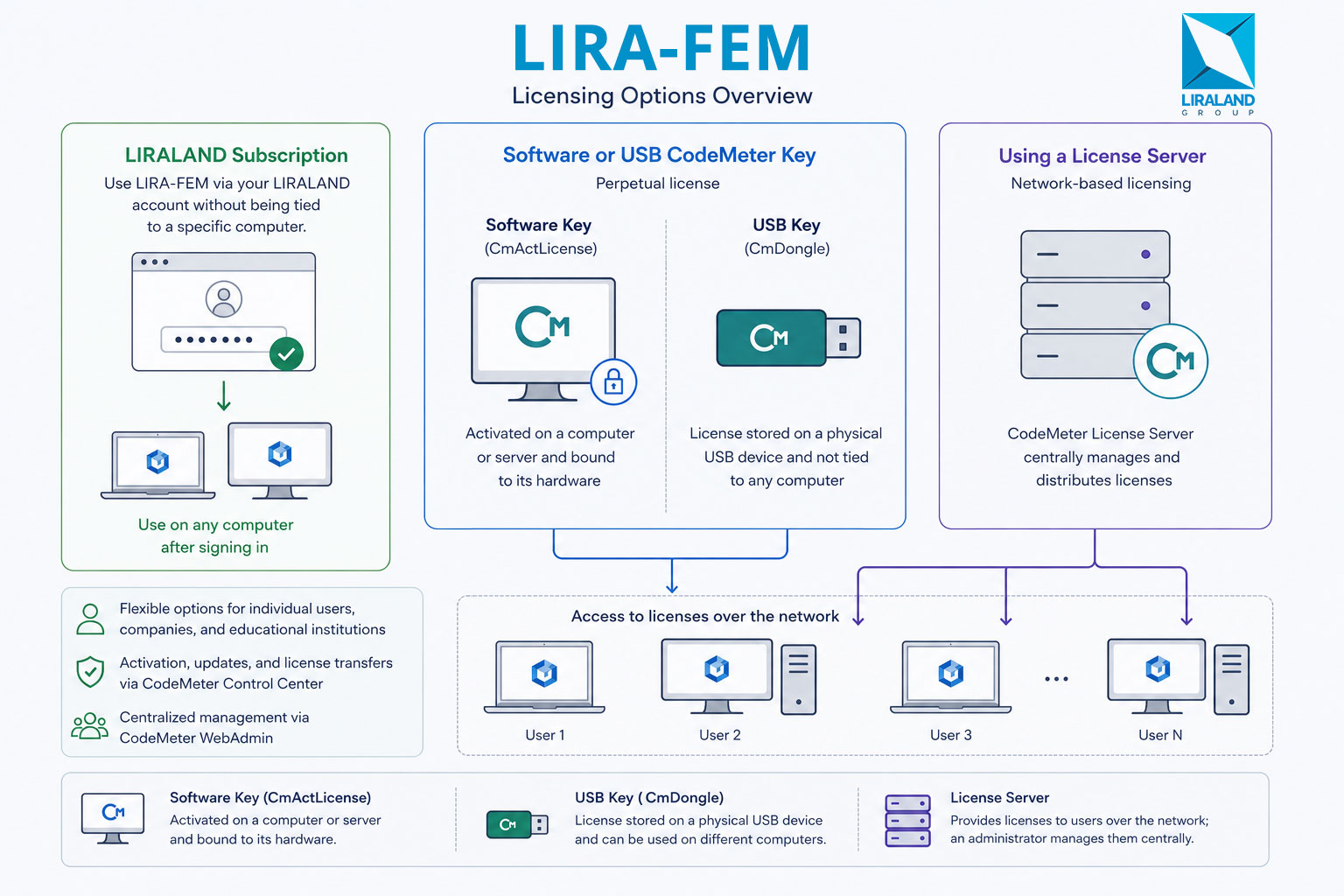
LIRA-FEM supports several licensing models, allowing you to choose the most suitable option for individual use, companies, or educational institutions.
You can use the software through a LIRALAND subscription, purchase a perpetual license with a software or USB CodeMeter key, or connect to a network license server.
LIRALAND Subscription
A subscription allows you to activate LIRA-FEM through your LIRALAND account without being tied to a specific computer.
Features:
- use on any computer after signing in to your account;
- does not require a computer-bound software key or a hardware USB key;
- may include academic or commercial licenses;
- simultaneous use on two or more devices is not permitted.
When to choose:
If you have purchased a commercial subscription or received an academic LIRA-FEM license with access through a LIRALAND account.
Software or USB CodeMeter Key
A perpetual LIRA-FEM license can be stored in one of two types of CodeMeter containers:
- Software key (CmActLicense), activated on a computer or server;
- Hardware USB key (CmDongle), which stores the license on a physical USB device.
Software Key (CmActLicense)
The license is activated on a specific computer or server and is bound to its hardware. This option does not require a USB key and is well suited for fixed workstations or servers.
The license can be transferred to another computer, but this requires a deactivation and reactivation procedure.
USB Key (CmDongle)
The license is stored on a CodeMeter USB key and is not tied to a specific computer. To use the software, simply connect the key to the desired workstation.
This option is convenient when you need to work on different computers or share a license between employees.
Features:
- perpetual license;
- both software and USB keys can be installed not only on a user's workstation but also on a license server;
- CodeMeter Control Center is used to activate, update, and transfer licenses.
When to choose:
If you need to activate, update, or transfer a LIRA-FEM license to a computer, server, or CodeMeter USB key.
Using a License Server
If a software or USB CodeMeter key is installed on a license server, licenses are distributed to client computers over the network, while an administrator centrally manages their usage. For end users, this appears as a connection to a CodeMeter license server without the need to activate a license locally on their computer.
Features:
- licenses can be used by multiple users according to the number of purchased network licenses;
- centralized license management;
- suitable for companies and offices;
- CodeMeter WebAdmin is used to configure client connections.
When to choose:
If your organization already has a configured CodeMeter license server and you need to connect your computer to it.
Where Can I Check My Licenses?
In the Licenses and Subscriptions section, you can view your active subscriptions, purchase history, and available licenses.
Need Help?
If you are not sure which licensing option to use, please contact LIRALAND Technical Support.
If you find a mistake and want to inform us about it, select the mistake, then hold down the CTRL key and click ENTER.

Comments